Product Release
ByteRover CLI 0.4.0: A new interactive REPL
We’re excited to release ByteRover CLI 0.4.0 (in beta) with a new REPL interactive interface that delivers a huge upgrade to your context curating / querying experience. This release will also be the final major beta release (our current beta users will continue to receive 0.4.x patch updates for the CLI) before we bring this CLI into the official production release of ByteRover 3.0.
With this new REPL interactive interface ,you can now just simply use slash commands for all operations, run multiple context curation at once. You can also track all curate and query execution by agents at one place. The experience with context will be extraordinarily faster, more seamless, and more consistent across agents than ever before.
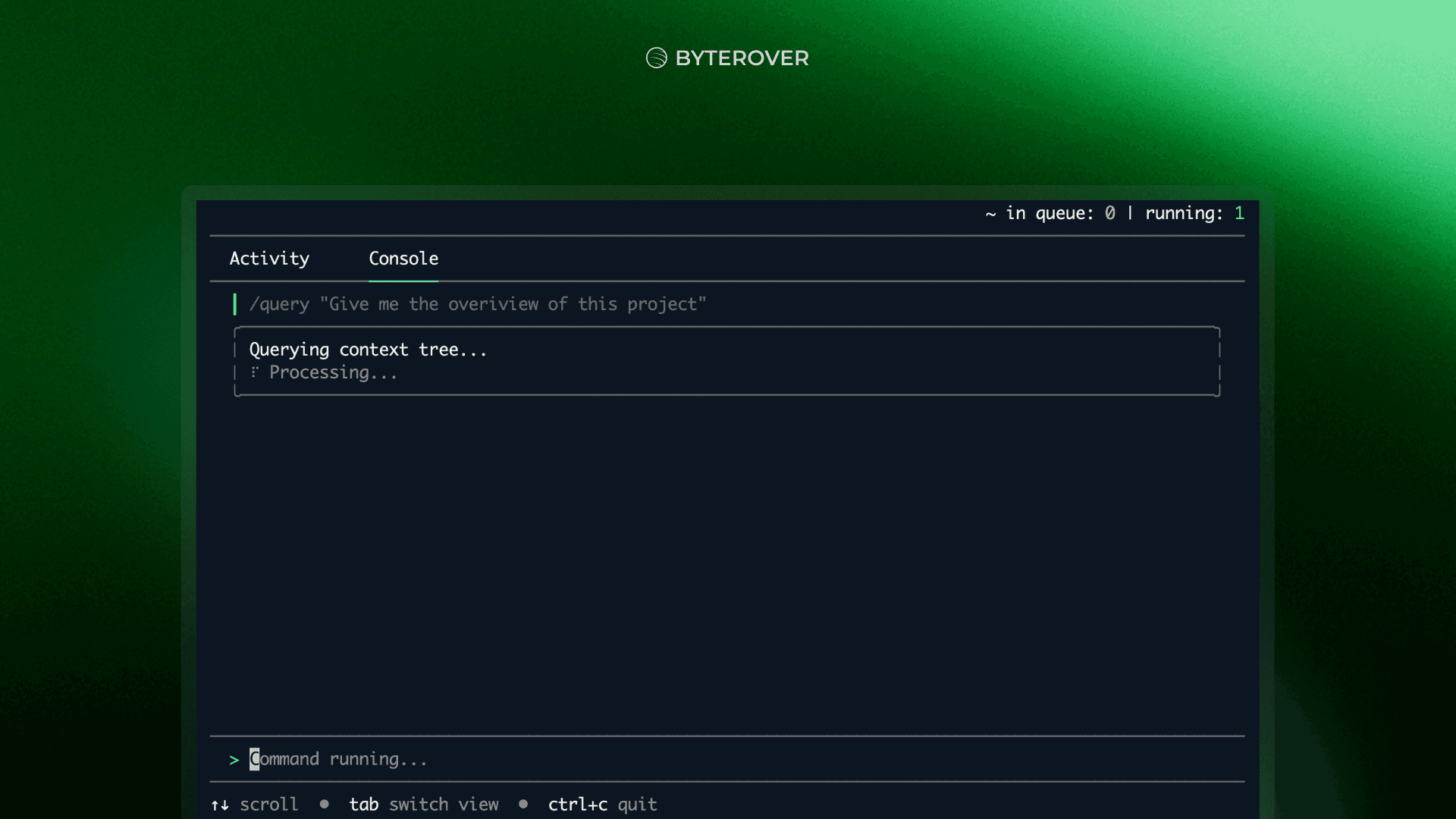
Watch this video to learn about all about ByteRover 0.4.0 in action:
You can now simply slash a command for all ByteRover operations
Before, with the previous pure command-line interface, you had to install byterover-cli and run brv commands directly from the terminal.
Now, you just need to run brv to start the REPL first, then hit tab to switch to the Console tab and run slash commands like /init, /query, and /curate.
Before (v0.3.x)
brv login
brv init
brv curate "context"
After (v0.4.0)
brv # Start REPL
/login
/init
/curate "context"
This makes querying and curating context feel faster, more interactive, and more natural within a single session.
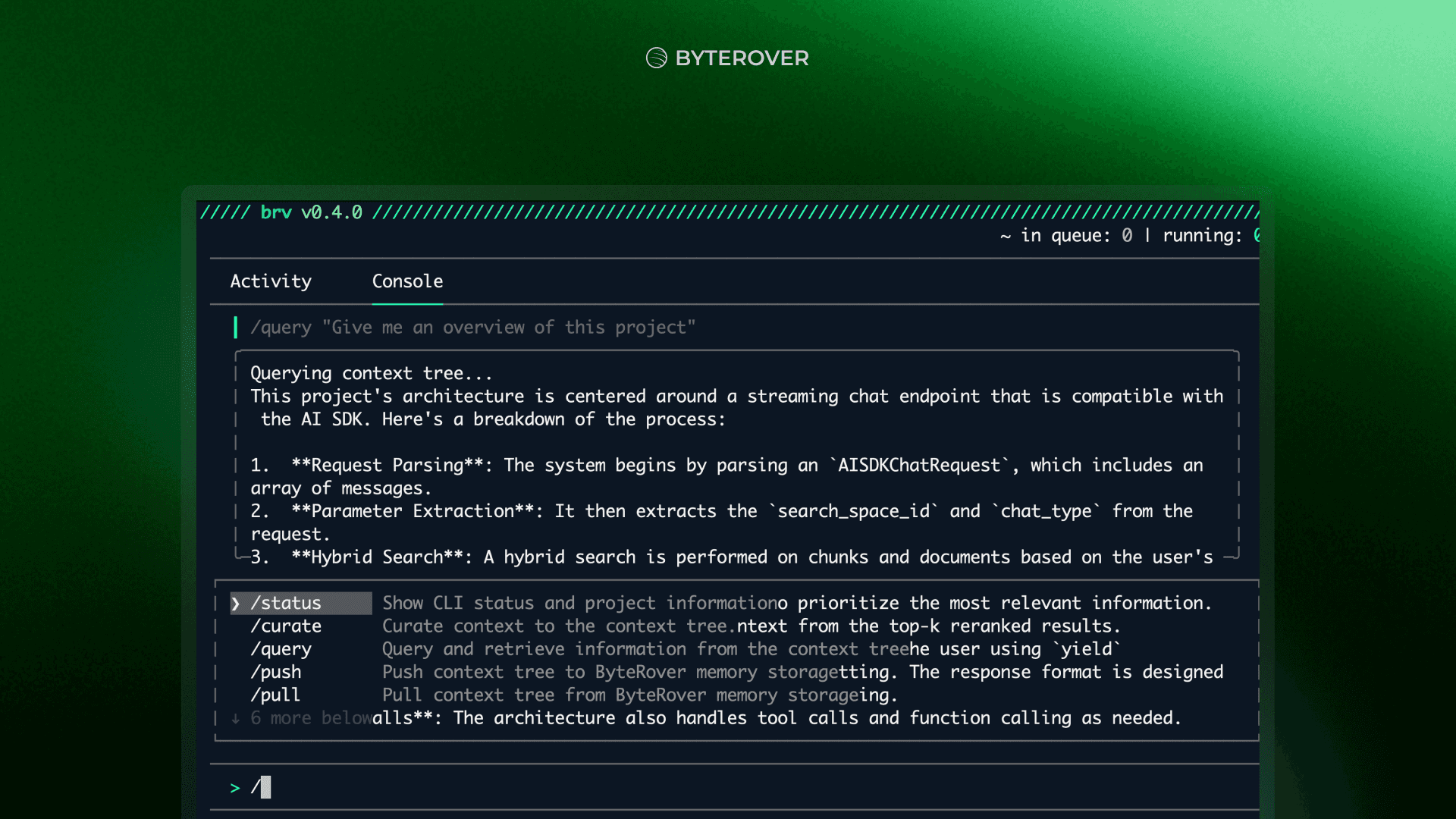
You can now run multiple context curation.
Before, both you and your coding agents had to wait for ByteRover commands to finish before doing anything else.
Now, brv curate can run asynchronously. This means curation jobs run in the background while you or your coding agents can continue working at the same time.
There is also a new capability: you can now curate context from multiple .md files at once.
If you have a list of markdown files to manually curate context from, you just need to /curate "context" @file1.ts @file2.ts
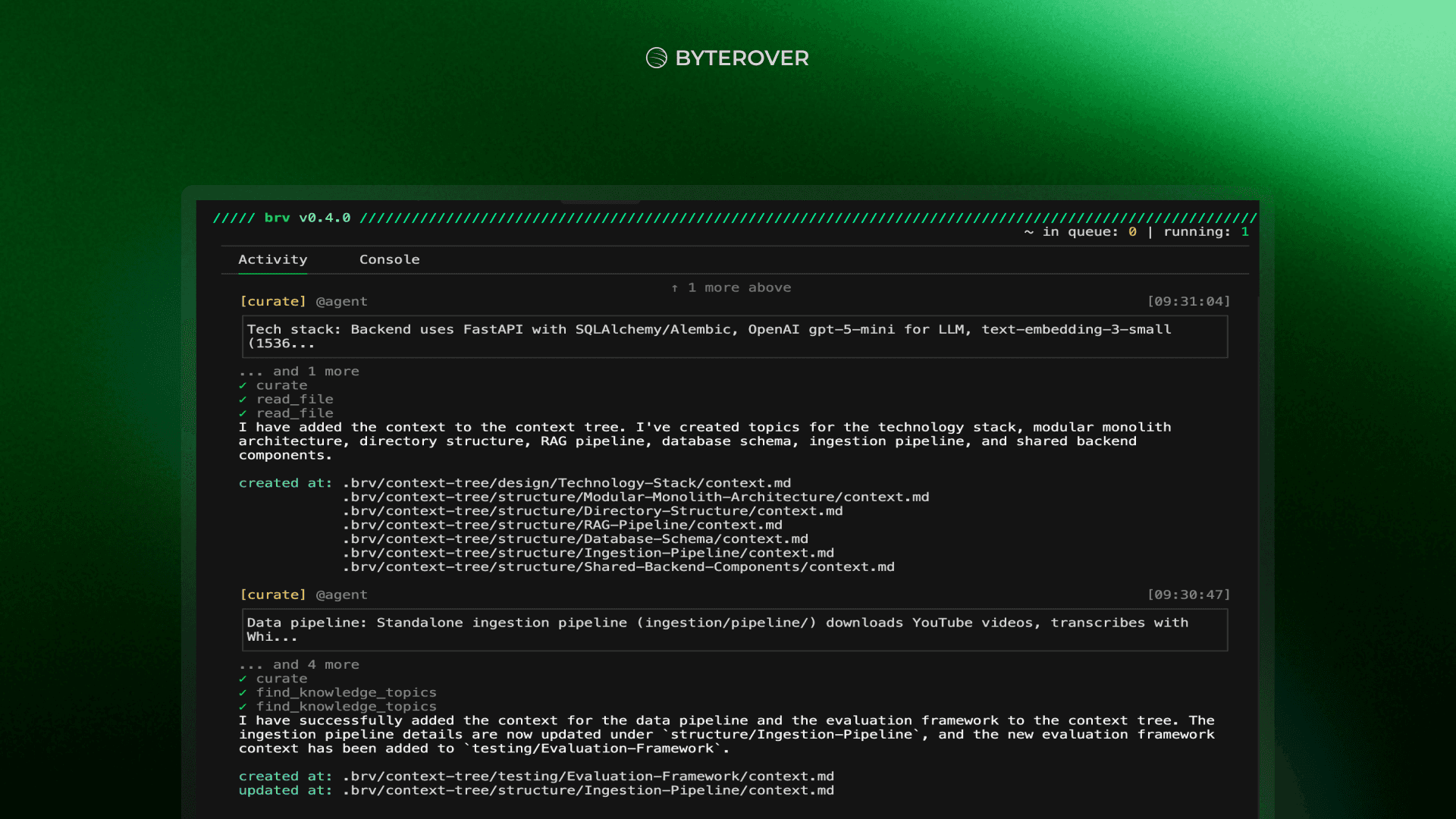
You can now review all curate / query executions in the Activity tab
With the new REPL, you can track all curate and query commands executed by agents in the Activity tab.
No matter how many agents you’re running, or how many terminal tabs are open, the Activity tab gives you a single place to track everything that’s happening.
Even better, this Activity tab is consistent across coding agents.
Previously, pure command-line workflows behaved differently across platforms and agents - Cursor, Codex, Claude Code, GitHub Copilot, each with its own terminal behavior and logs.
Now, you can simply check the Activity tab to check all the logs with a consistent experience across agents.
We hope that this new upgrade in REPL interactive interface will make your experience 10x better compared to before.
Let us know what you think once you try it out.
👉 Try now at: https://beta-app.byterover.dev/
👉 Check out the docs at: https://docs.byterover.dev/beta
Watch this video to learn about all about ByteRover 0.4.0 in action:
You can now simply slash a command for all ByteRover operations
Before, with the previous pure command-line interface, you had to install byterover-cli and run brv commands directly from the terminal.
Now, you just need to run brv to start the REPL first, then hit tab to switch to the Console tab and run slash commands like /init, /query, and /curate.
Before (v0.3.x)
brv login
brv init
brv curate "context"
After (v0.4.0)
brv # Start REPL
/login
/init
/curate "context"
This makes querying and curating context feel faster, more interactive, and more natural within a single session.
You can now run multiple context curation.
Before, both you and your coding agents had to wait for ByteRover commands to finish before doing anything else.
Now, brv curate can run asynchronously. This means curation jobs run in the background while you or your coding agents can continue working at the same time.
There is also a new capability: you can now curate context from multiple .md files at once.
If you have a list of markdown files to manually curate context from, you just need to /curate "context" @file1.ts @file2.ts
You can now review all curate / query executions in the Activity tab
With the new REPL, you can track all curate and query commands executed by agents in the Activity tab.
No matter how many agents you’re running, or how many terminal tabs are open, the Activity tab gives you a single place to track everything that’s happening.
Even better, this Activity tab is consistent across coding agents.
Previously, pure command-line workflows behaved differently across platforms and agents - Cursor, Codex, Claude Code, GitHub Copilot, each with its own terminal behavior and logs.
Now, you can simply check the Activity tab to check all the logs with a consistent experience across agents.
We hope that this new upgrade in REPL interactive interface will make your experience 10x better compared to before.
Let us know what you think once you try it out.
👉 Try now at: https://beta-app.byterover.dev/
👉 Check out the docs at: https://docs.byterover.dev/beta
Watch this video to learn about all about ByteRover 0.4.0 in action:
You can now simply slash a command for all ByteRover operations
Before, with the previous pure command-line interface, you had to install byterover-cli and run brv commands directly from the terminal.
Now, you just need to run brv to start the REPL first, then hit tab to switch to the Console tab and run slash commands like /init, /query, and /curate.
Before (v0.3.x)
brv login
brv init
brv curate "context"
After (v0.4.0)
brv # Start REPL
/login
/init
/curate "context"
This makes querying and curating context feel faster, more interactive, and more natural within a single session.
You can now run multiple context curation.
Before, both you and your coding agents had to wait for ByteRover commands to finish before doing anything else.
Now, brv curate can run asynchronously. This means curation jobs run in the background while you or your coding agents can continue working at the same time.
There is also a new capability: you can now curate context from multiple .md files at once.
If you have a list of markdown files to manually curate context from, you just need to /curate "context" @file1.ts @file2.ts
You can now review all curate / query executions in the Activity tab
With the new REPL, you can track all curate and query commands executed by agents in the Activity tab.
No matter how many agents you’re running, or how many terminal tabs are open, the Activity tab gives you a single place to track everything that’s happening.
Even better, this Activity tab is consistent across coding agents.
Previously, pure command-line workflows behaved differently across platforms and agents - Cursor, Codex, Claude Code, GitHub Copilot, each with its own terminal behavior and logs.
Now, you can simply check the Activity tab to check all the logs with a consistent experience across agents.
We hope that this new upgrade in REPL interactive interface will make your experience 10x better compared to before.
Let us know what you think once you try it out.
👉 Try now at: https://beta-app.byterover.dev/
👉 Check out the docs at: https://docs.byterover.dev/beta