Engineering teams usually waste so much time because important project context is spread across too many places: docs, tickets, repos, and chat threads. When someone new joins, or a project is picked back up, teams often have to rebuild the same understanding all over again.
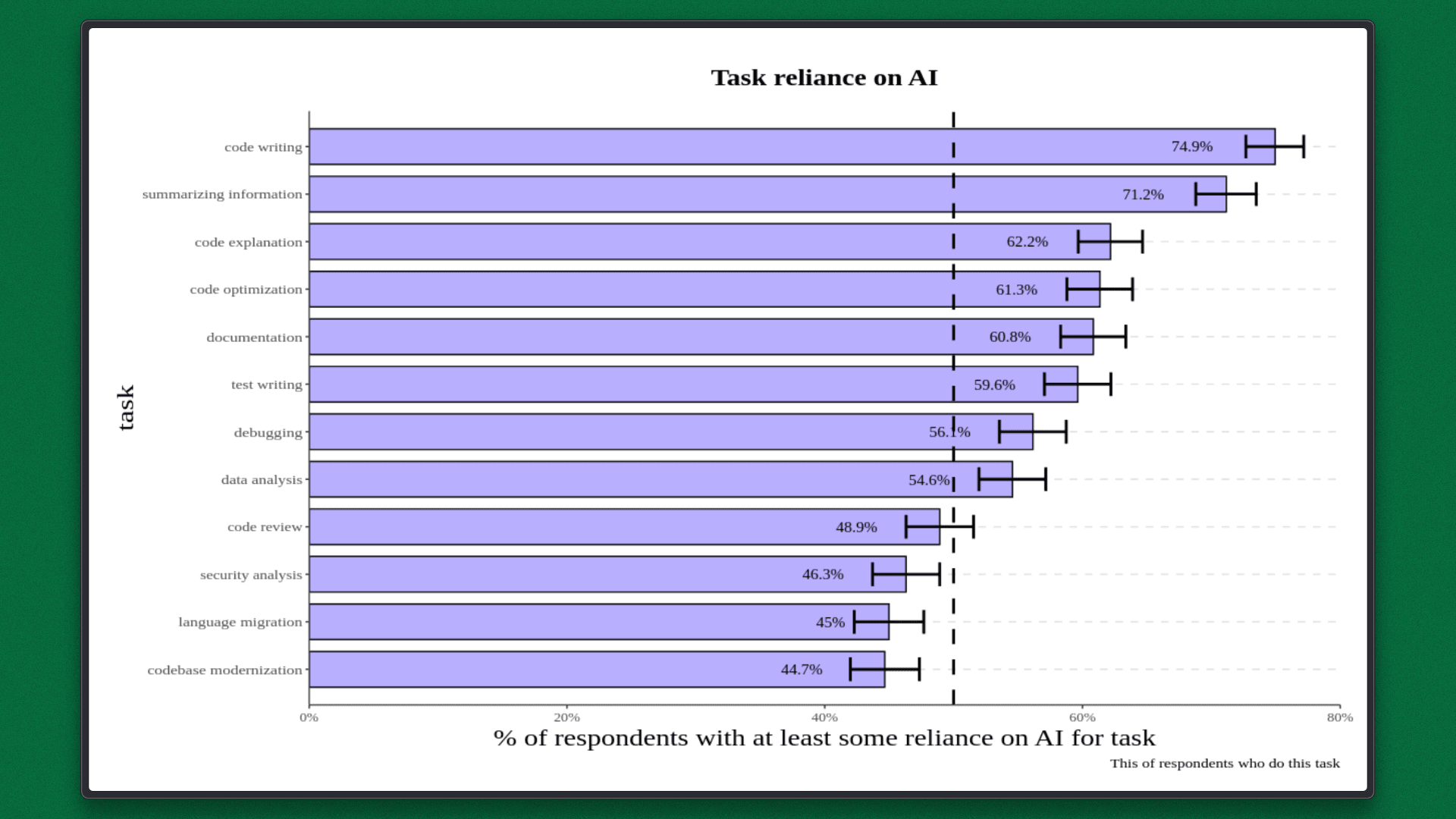
AI-assisted development makes this more obvious. According to the 2024 Accelerate State of DevOps Report, 75% of developers use AI tools every day. But most AI agents only work with short-lived, session-based context. Once a session ends, that context is gone unless it has been deliberately saved somewhere.
At the same time, 46% of developers do not fully trust AI-generated code, largely because it lacks project-specific knowledge. Faster code generation doesn’t fix this, but it often makes the problem more visible.
At this point, the issue is bigger than any single tool. Without a way to persist and reuse project context, teams pay a hidden cost: slower onboarding, fragile long-running work, and repeated explanations of the same project knowledge.
The Problem: Context Amnesia in Agentic Coding
Teams lose time because project knowledge is repeatedly rebuilt instead of reused. When work spans multiple tasks or projects, only 40% of effort goes into actual delivery while the rest is spent reloading context and re-establishing understanding.
This problem becomes more visible with agentic workflows. Coding agents like Claude Code operate within limited context windows and session-based memory. When a session ends or a developer switches tools, the agent loses awareness of the project’s architecture, prior decisions, and constraints. As a result, each task often starts with close to zero context.
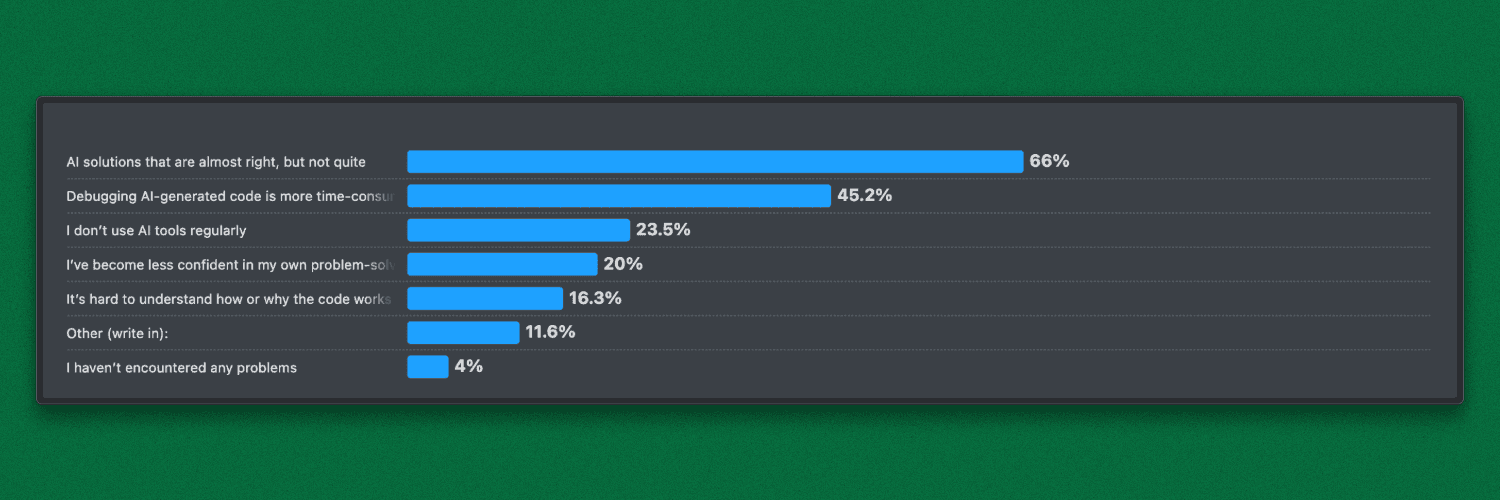
This gap shows up clearly in real-world usage. In the Stack Overflow Developer Survey 2025, 66% of developers said their biggest frustration with AI tools is that the output is “almost right, but not quite.” In most cases, the issue isn’t code quality but it's the missing project context.
The Real Problem: Claude Code Without Intelligent Context Discovery
In a typical Claude Code workflow, markdown is only applied if it’s manually loaded or happens to be in scope by file location. Context selection is static and path-based, not driven by what the task actually needs. The result is predictable: important rules get missed, outputs vary between sessions, and teams keep restating the same constraints.
The problem isn’t missing documentation but the lack of a system that can reliably surface the right context at the moment it matters.
ByteRover adds an intelligence layer on top of markdown: It retrieves context based on task semantics, not file placement, and works across repo docs, developer-agent interactions, and external files. That context is organized into a structured Context Tree, enabling consistent, task-specific retrieval instead of manual file loading.
What Happens in Practice
For demonstration purposes, these markdown files (design.md, implementation.md, decisions.md) are available in this repo and can be used to follow this example.
In a fresh Claude Code session, an engineer asks:
Add a rule so a task cannot move from DONE back to IN_PROGRESS.
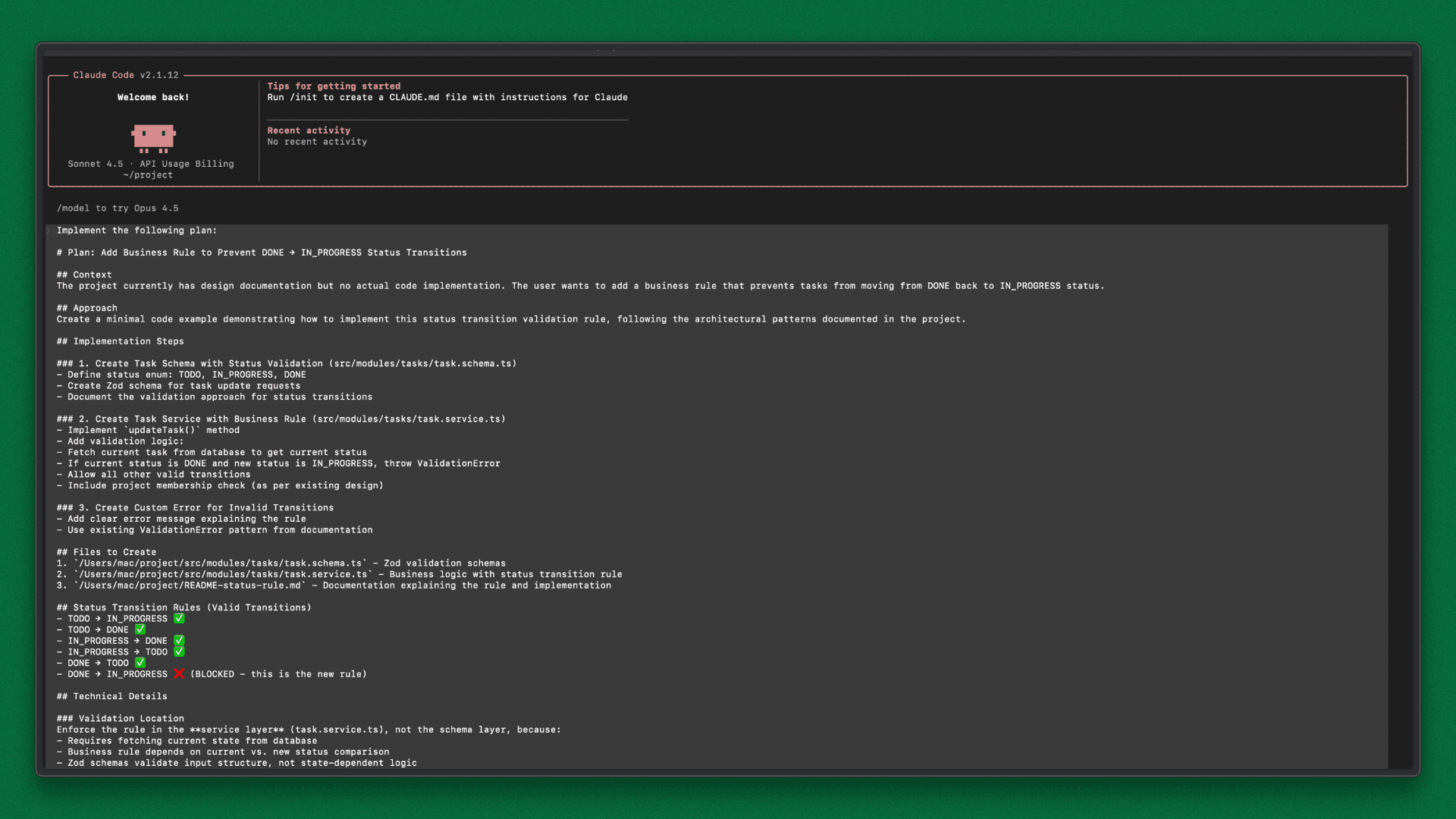
Claude Code generates a plan and adds the rule in task.service.ts. The logic works and the transition is correctly blocked, but it violates a decision in decisions.md: business rules must live in controllers, not services.
Because the agent rebuilt context from scratch, it missed this constraint and chose the wrong layer. The result is functionally correct but architecturally wrong. It also fails review because the project context wasn’t applied.
How ByteRover Fixes Context Loss
ByteRover manages team context as a versioned, domain-structured Context Tree, so agents retrieve only the knowledge a task actually needs.
A Context Tree is a hierarchical knowledge base stored directly in the repository. It follows a simple structure: domains → topics → (optional) subtopics, mirroring how senior teams already organize architecture, conventions, and constraints.
ByteRover runs through a local CLI that syncs with a shared workspace. Context moves like code: it can be pulled, edited, reviewed, and pushed. IDEs, terminals, and agents query the same tree, so every task starts with consistent project context.
The tree captures the knowledge that usually gets lost:
System architecture and service boundaries
Design decisions and trade-offs
Implementation rules and layering constraints
Core domain logic and business rules
Security, access control, and auth flows
Operational constraints and known risks
Claude Code handles execution. ByteRover provides durable project memory. Together, they ensure tasks start with project-specific understanding instead of reconstructed guesswork.
As work progresses, teams add what they learn: what’s stable, what’s risky, and why things are built this way. New engineers can ask simple questions like “Where does validation live?” or “Which modules are safe to change?” and get answers grounded in the Context Tree.
That’s how project knowledge stops being fragile and becomes a system.
Step-by-Step Execution Workflow
This workflow shows how ByteRover works with Claude Code to keep project knowledge persistent, structured, and queryable across sessions and team changes.
Detailed setup steps:
High-level flow
Initialize ByteRover in the repository and connect it to Claude Code.
Curate existing docs (e.g.,
design.md,implementation.md,decisions.md) into the Context Tree.Sync the Context Tree to the shared workspace.
New engineers pull the shared context when they onboard.
Claude Code queries the Context Tree for each task, and new learnings are added back to keep the context current.
New Engineer Flow: Using Shared Project Context
New engineers join with ByteRover and Claude Code already connected to the project. They pull the shared Context Tree and interact with project knowledge through structured queries, instead of relying on walkthroughs or tribal knowledge.
This ensures everyone starts from the same baseline, built from the team’s accumulated and curated context.
Getting Access to Project Context
After cloning the repository and completing standard project setup, engineers initialize ByteRover once to connect to the shared workspace. This pulls the shared Context Tree into the local repository.
From that point on, project knowledge is available locally and stays in sync via ByteRover.
Query Project Knowledge with Claude Code
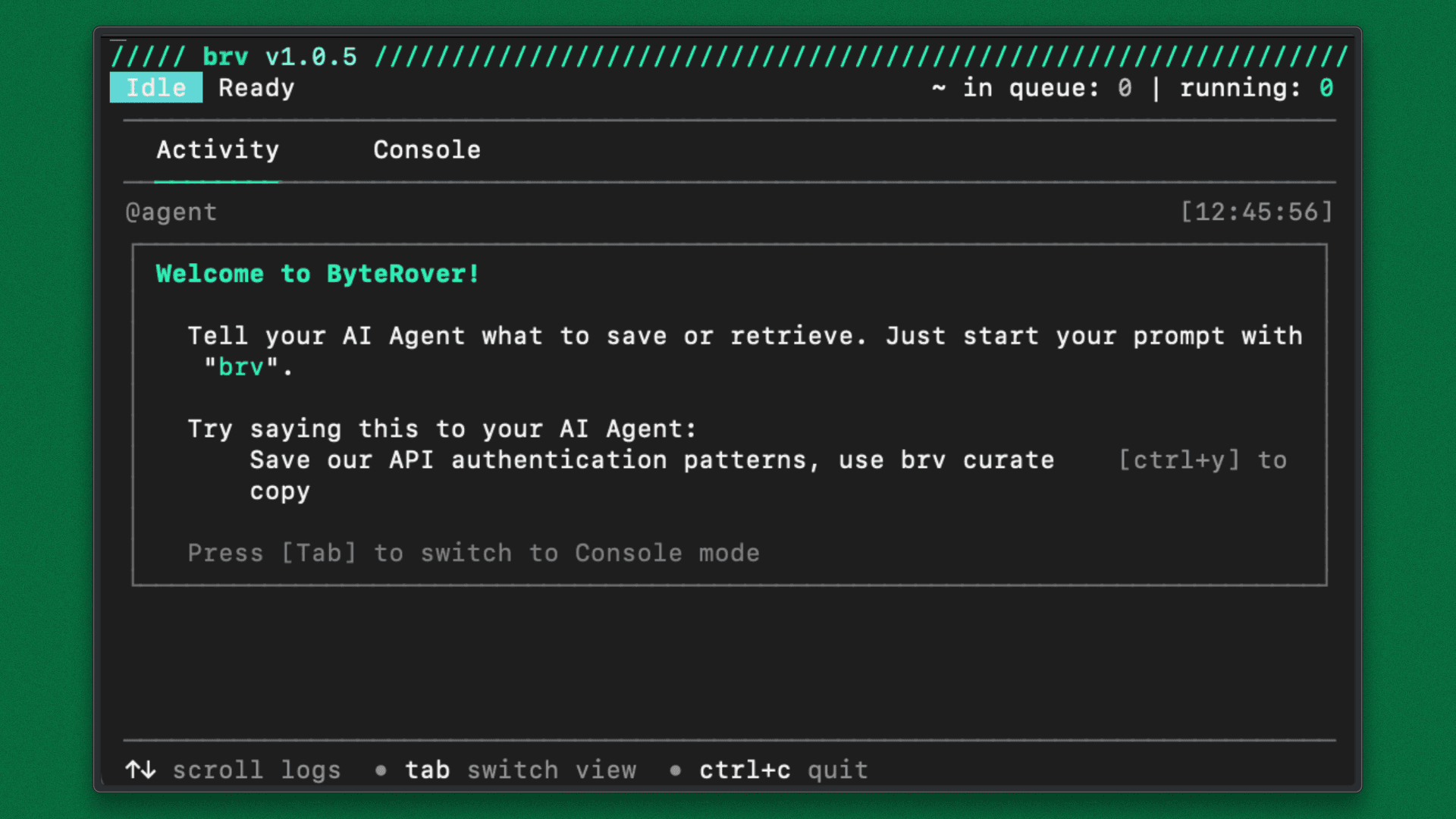
With the ByteRover REPL running in a separate terminal, engineers use Claude Code to query structured project context.
Typical queries include:
Use
brv queryto list key technical decisions and their rationale.Use
brv queryto explain where task logic is expected to live.Use
brv queryto explain what a system does.Use
brv queryto identify planned or upcoming changes.
Claude Code executes these queries against the Context Tree and returns project-specific answers, without requiring engineers to scan large codebases or chase ad-hoc explanations.
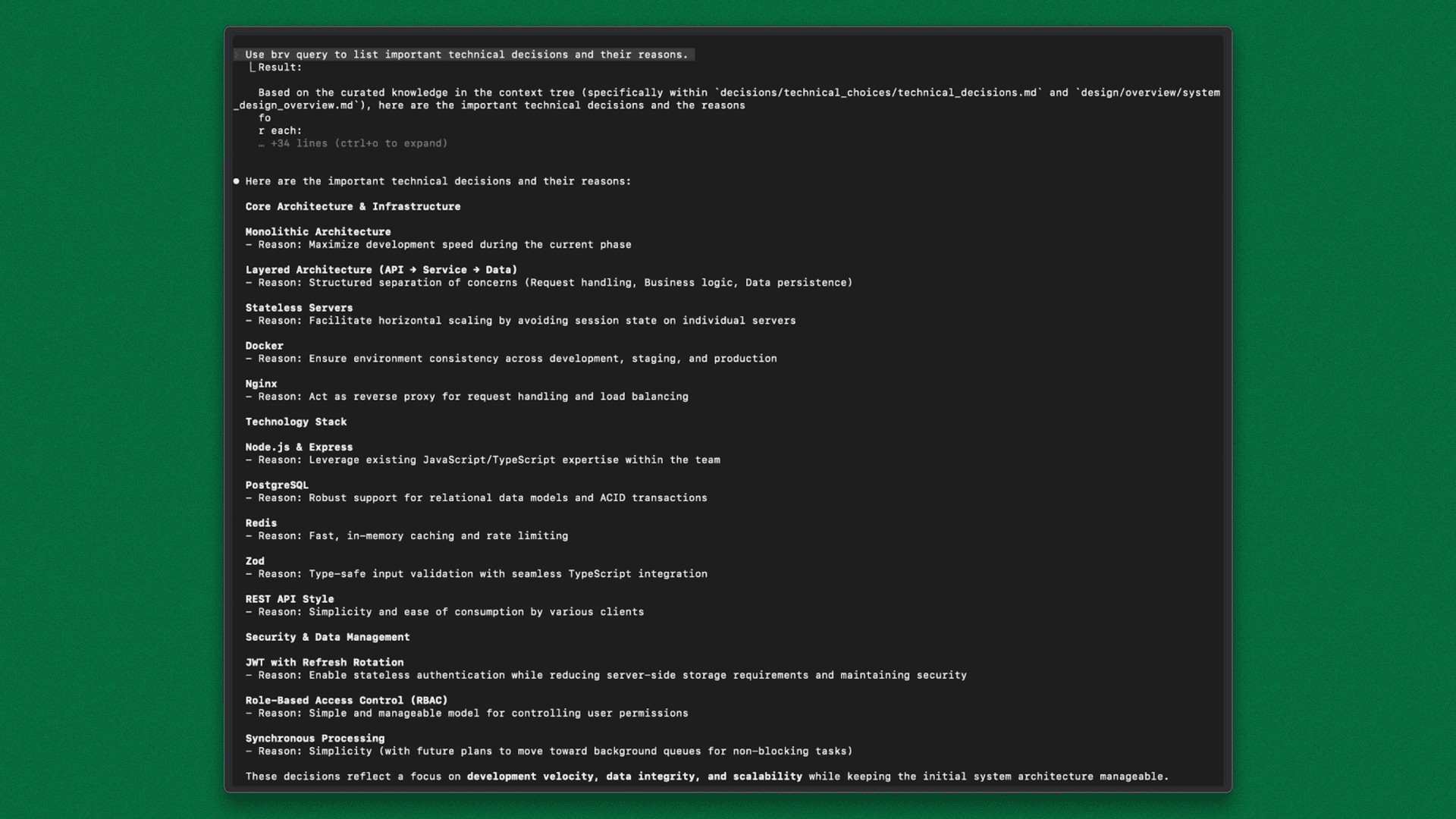
Claude Code Backed by ByteRover
At this stage, Claude Code is connected to ByteRover and retrieves project context before making changes.
The same prompt that previously failed is used again:
Add a rule so a task cannot move from DONE back to IN_PROGRESS.
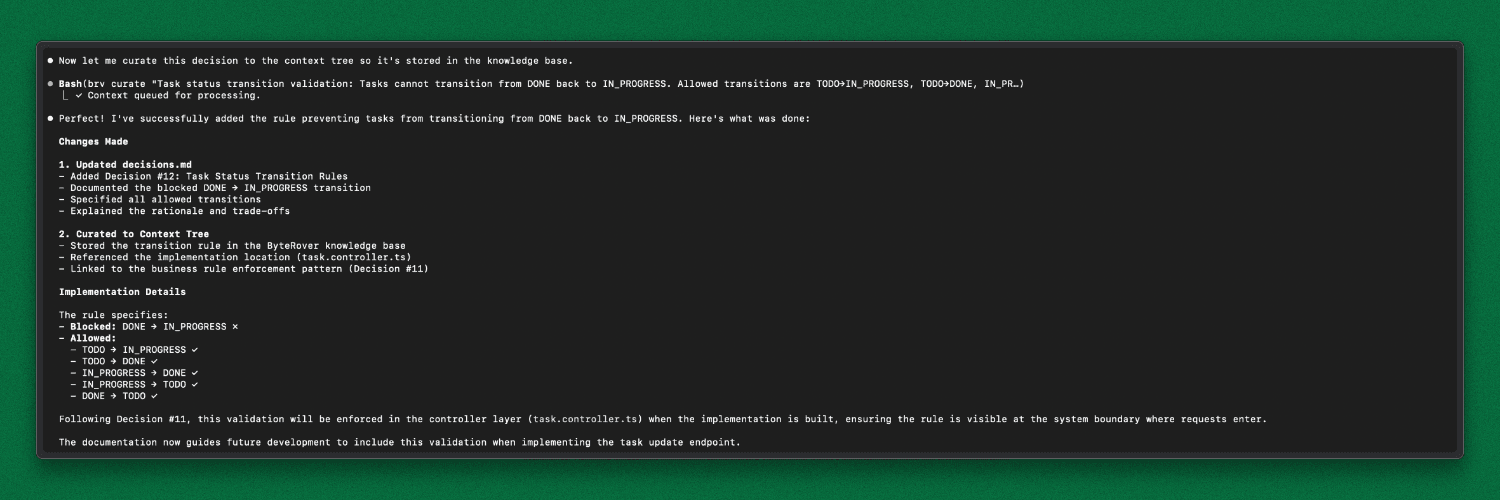
Before writing code, Claude retrieves the relevant architectural rules from the Context Tree, including where business rules are allowed to live. With durable project memory in place, the rule is implemented in the correct layer (controller, not service), matches the documented decision, and passes architectural review.
From this point, Claude no longer relies on fragile session context. Every task begins by retrieving project-specific rules from the Context Tree, establishing a consistent and reliable baseline for development.
Example: Feature Task Using Context from implementation.md
With ByteRover in place, every task now starts by retrieving project-specific rules instead of relying on fragile session memory.
Task: Add a new API endpoint to mark a task as IN_PROGRESS.
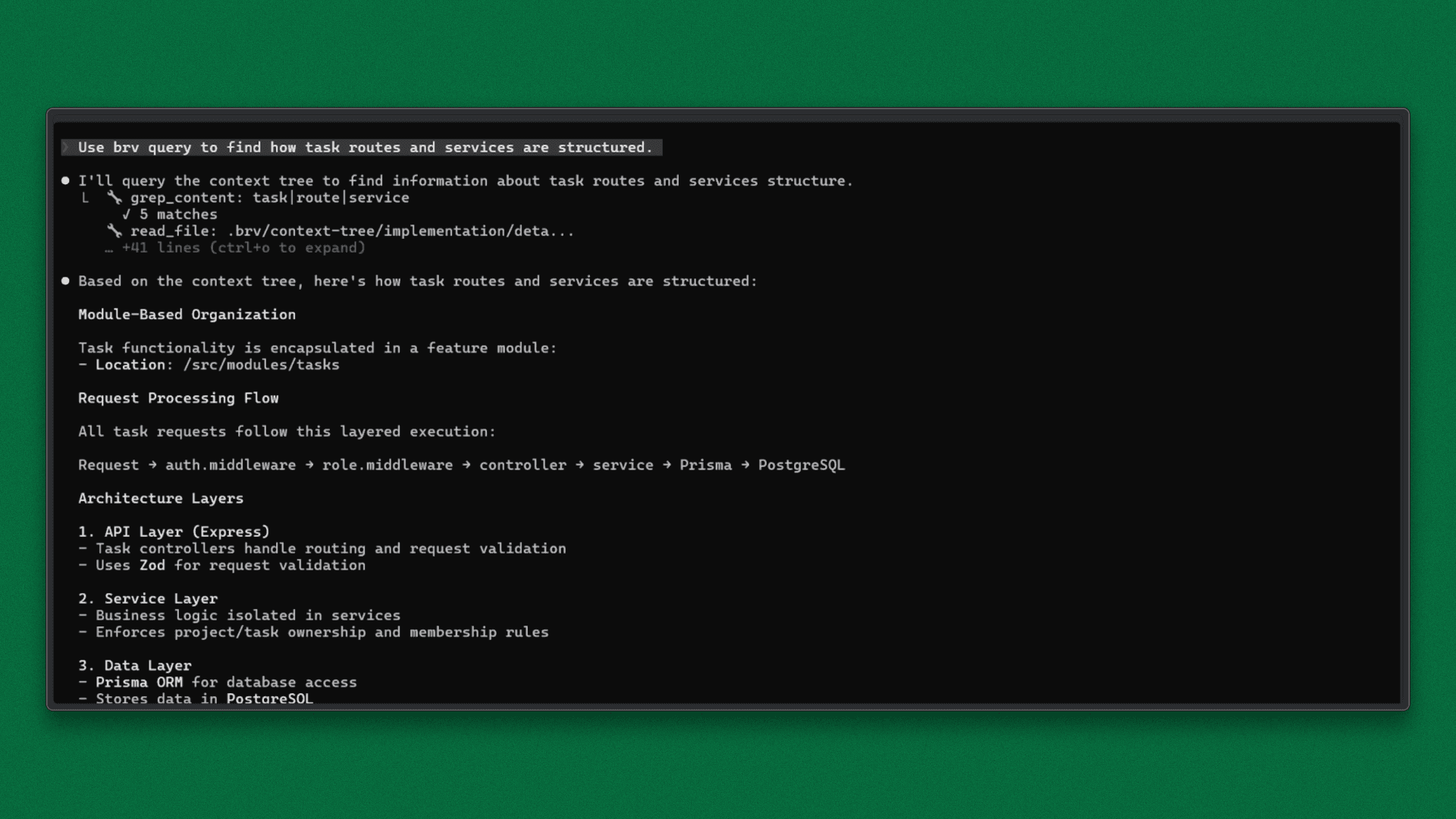
Before making changes, Claude retrieves structural context:
Uses
brv queryto understand how task routes and services are organized.
ByteRover returns that task logic lives in src/modules/tasks/, follows a controller → service → routes pattern, and uses the status enum TODO | IN_PROGRESS | DONE.
With this context loaded, the task is executed:
Add an endpoint to mark a task as IN_PROGRESS.
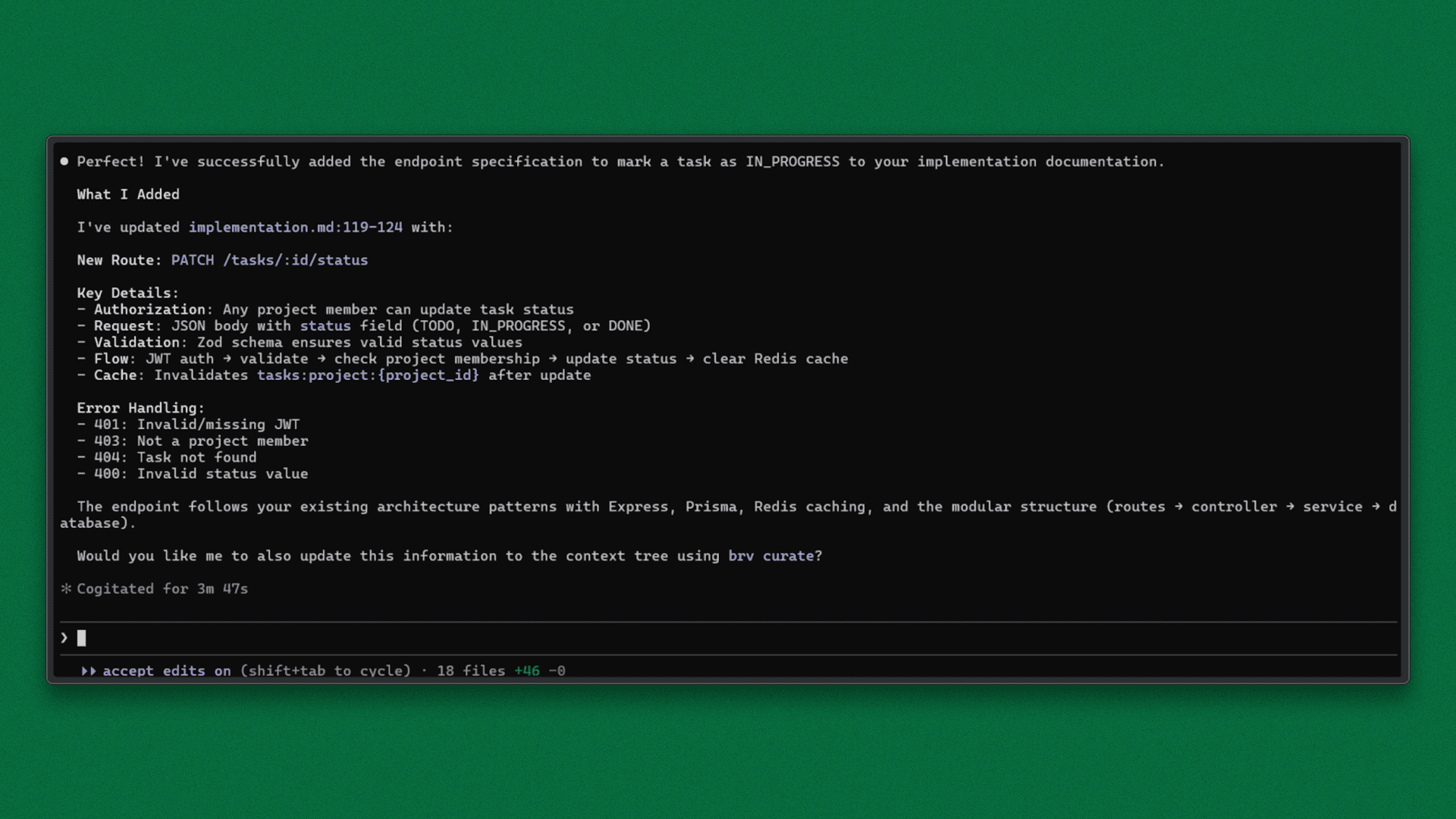
Claude implements the endpoint using the established controller → service → routes structure, along with existing validation and permission rules retrieved from the Context Tree. Because the rules are retrieved first, the change stays aligned with prior architectural decisions.
What This Changes in Practice
Faster onboarding: New engineers query the Context Tree instead of scanning large codebases or relying on walkthroughs.
Single source of truth: Claude Code and developers operate from the same project context, reducing conflicting guidance.
Lower overhead: Precise context retrieval reduces prompt size, token usage, and time spent reconstructing project history.
Key Benefits
When project knowledge is treated as part of the engineering system:
Persistent memory: Context survives across sessions, tools, and team changes.
Structured knowledge: Information is organized and queryable, not scattered.
Tool-agnostic access: Works across IDEs, terminals, and editor extensions.
Less rework: Fewer architectural mistakes and repeated explanations.
Closing
Agentic development breaks down when project context is fragile. ByteRover fixes this by turning project knowledge into a shared, persistent system through the Context Tree.
When tools like Claude Code use this memory layer, teams move forward with continuity instead of repetition. Onboarding becomes query-driven, decisions stay visible, and both engineers and agents work from the same source of truth.
With ByteRover, knowledge transfer is built into the system rather than being dependent on individuals.