Product Release
Visual Mode for Your Context Management: Manage Your Team Knowledge like Wiki
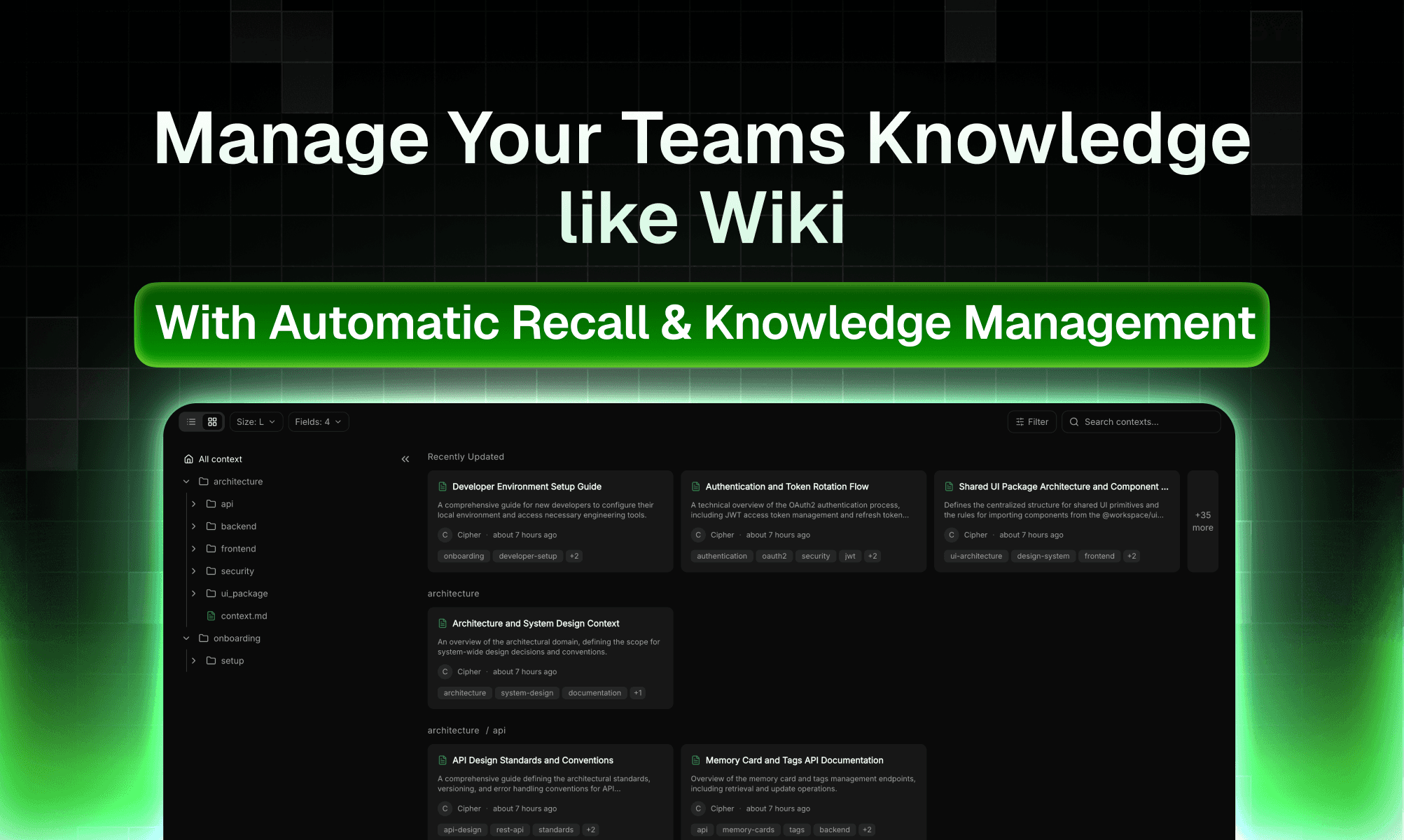
ByteRover just shipped Context Management - the feature that allow you to browse, organize, and search your project's context data.
LLM automatically stores, organizes all knowledge/ context for you, recalls when you need. It cleans, tags, summarizes, removes outdated knowledge and keeps your whole team’s knowledge base tidy without any manual work.
You can easily view & manage your whole team’s context. Raw context → organized, beautiful, filterable, searchable, and versioned.
This new feature Context Management allows you to easily view your context It introduces two visual modes: Tree View and Grid View along with a powerful full-text search with filtering capabilities.
Two visual modes
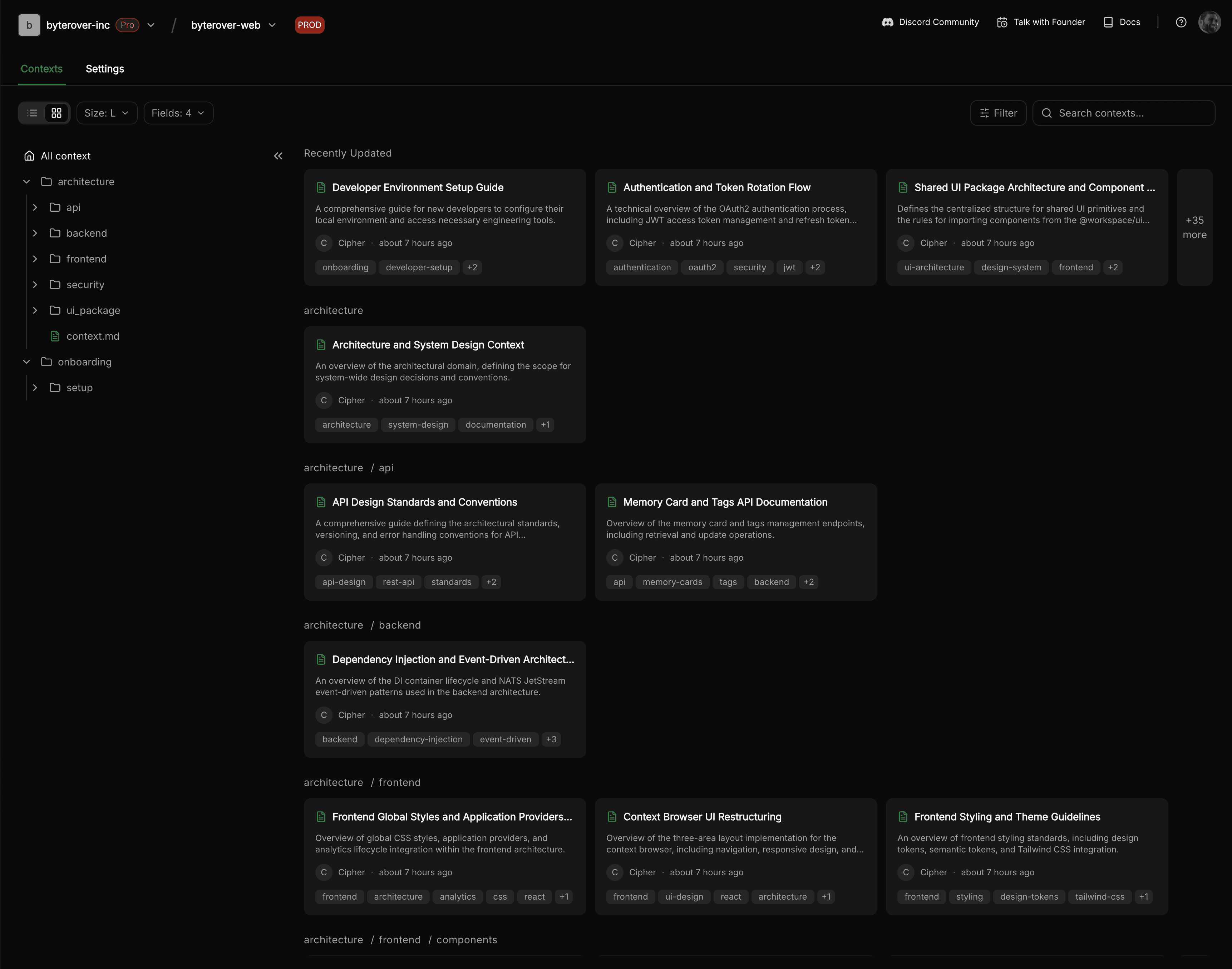
1. Grid View
Beautiful, card-based browsing like a Notion database for your code/docs. Better for more detailed preview of memory file, or action-centric context management, without losing the bird-eye overview and quick navigation
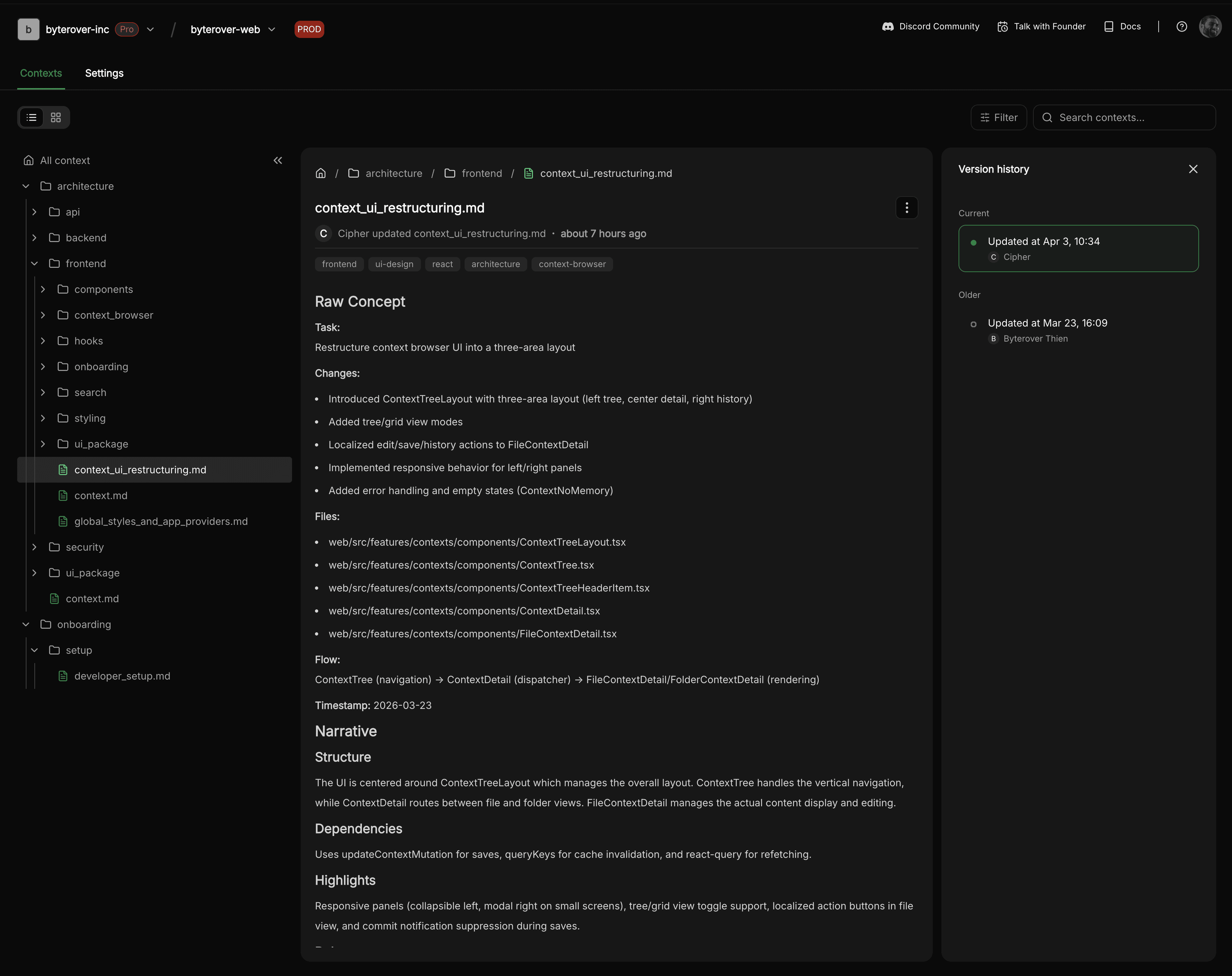
2. Tree View
The classic hierarchical file browser for navigating context by folder structure. Better for examining the hierarchical structure of the context tree, allowing domain-level context management as well as precise navigation.
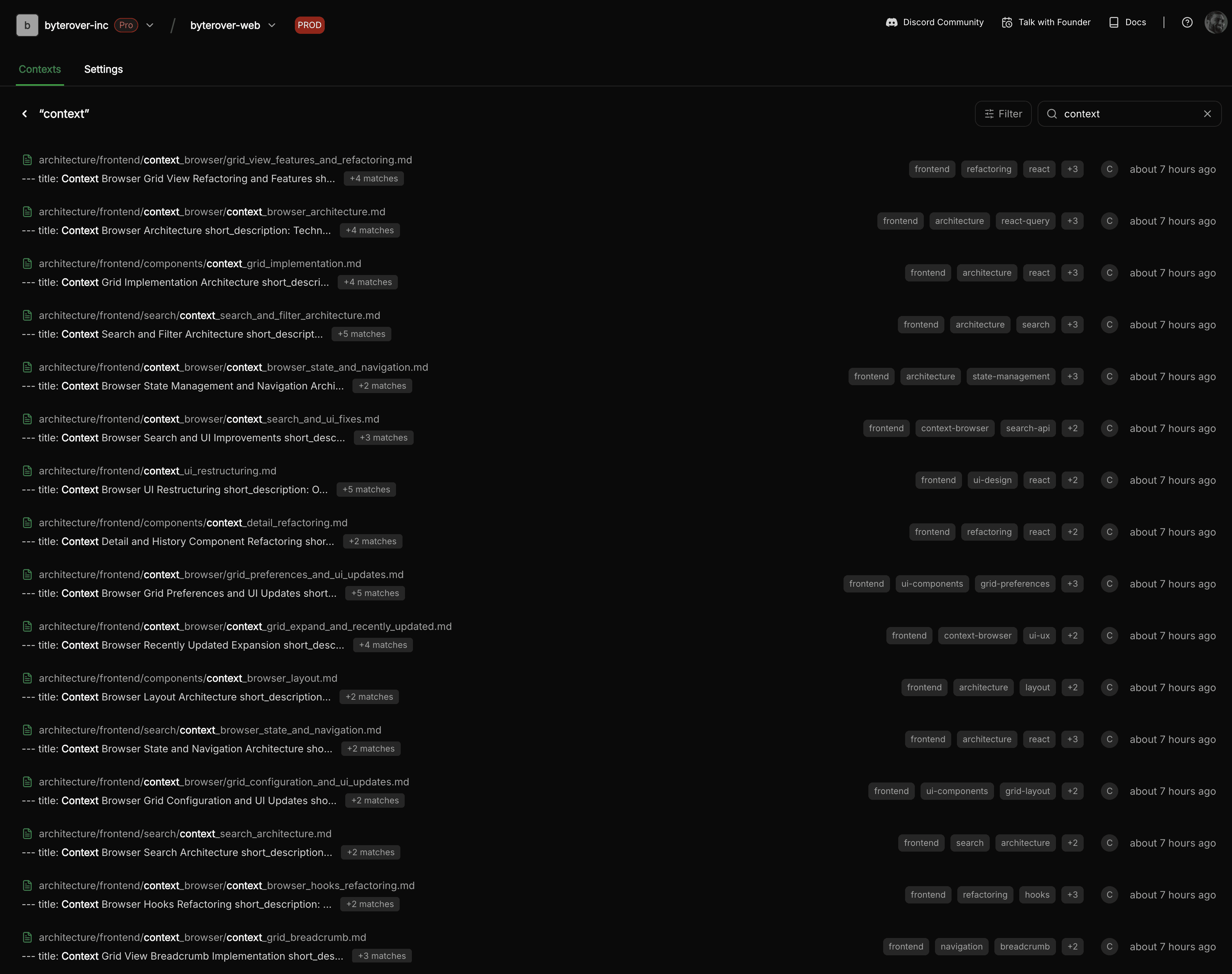
Search that feels like magic
Full-text search across every context file.
You can search the whole project or just the current folder subtree
Every search, filter, and view mode is saved in the URL → shareable links and bookmarks work perfectly
A better home for your team's knowledge
Onboarding is faster: A new team member can open Grid View and browse through all the context in the workspace. They can see what decisions have been made, what patterns to follow, and who to talk to for more detail. No more guessing.
Knowledge gaps become visible: When you can see all your context laid out by folder, by author, by date, it's much easier to spot what's missing e.g. "We have three files about our API design, but nothing about our deployment process."
Maintenance gets easier: With date filters and version history, you can quickly find context that hasn't been touched in months.
Collaboration improves: When everyone can see and search the same knowledge base, there's less "oh, I didn't know that existed." Shared URLs mean you can point a teammate to exactly the right context with a single link.
Get started now
Check the repo: https://github.com/campfirein/byterover-cli.git
Install the CLI: curl -fsSL <https://byterover.dev/install.sh> | sh